Do not Take the Bait: Your Complete Guide to Spotting and Avoiding Phishing Scams
Phishing scams have become one of the most common and dangerous threats in our digital world. Every day, millions of deceptive emails, text messages, and fake websites are created with one goal in mind: to trick you into giving away your personal information, passwords, or money. The scary part? These scams are becoming so sophisticated that even tech-savvy individuals can fall victim.
If you’ve ever received a suspicious email claiming your account has been compromised, or a text message saying you’ve won a prize, you’ve encountered a phishing attempt. Understanding how these scams work and learning to recognize the warning signs can save you from financial loss, identity theft, and countless headaches. Let’s dive deep into the world of phishing scams and arm you with the knowledge to protect yourself.
Do not Take the Bait : What Exactly Is Phishing?
Phishing is a type of cybercrime where attackers pretend to be legitimate organizations or people to steal sensitive information. Think of it as digital fishing where scammers cast out bait hoping someone will bite. The “bait” usually comes in the form of an urgent message, an enticing offer, or a frightening warning that prompts you to take immediate action.
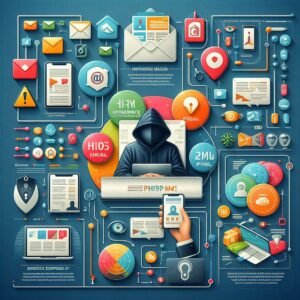
The term “phishing” itself is a play on the word “fishing” because scammers are essentially fishing for your information. The “ph” comes from “phreaking,” an early term for hacking telephone systems. These attacks have evolved significantly since the 1990s, growing more convincing and widespread with each passing year.
Phishing attacks typically aim to steal login credentials, credit card numbers, bank account information, social security numbers, or other personal data that can be used for identity theft or financial fraud. Sometimes, the goal is to install malware on your device that gives attackers ongoing access to your information or turns your computer into part of a larger network used for criminal activities.
The Different Types of Phishing Attacks
Understanding the various forms phishing can take is your first line of defense. Scammers constantly adapt their techniques, so staying informed about current methods is crucial.
Email Phishing
This is the most common type of phishing attack. You receive an email that appears to come from a trusted source like your bank, a popular online retailer, a government agency, or even a colleague. These emails often contain urgent language designed to make you panic and act without thinking. They might claim your account has been compromised, your payment has failed, or you need to verify your identity immediately.
The email typically includes a link to a fake website that looks remarkably similar to the real one. When you enter your login credentials or personal information on this fake site, the scammers capture everything you type. Some phishing emails contain attachments that, when opened, install malware on your device.
SMS Phishing (Smishing)
Smishing uses text messages instead of emails. You might receive a text saying your package couldn’t be delivered, your bank account has suspicious activity, or you’ve won a contest you never entered. These messages usually include a link or ask you to call a number. The goal is the same as email phishing: to steal your information or install malware.
Smishing can be particularly effective because people tend to trust text messages more than emails, and we often check texts on our phones where security features might be less robust than on computers.
Voice Phishing (Vishing)
In vishing attacks, scammers call you directly, pretending to be from tech support, your bank, the IRS, or another trusted organization. These callers can be very convincing, using professional language and creating a sense of urgency. They might claim your computer has a virus, you owe back taxes, or your account has been compromised.
Vishing attacks often target older adults who may be more trusting of phone calls than digital communications. However, anyone can fall victim to a persuasive caller, especially when caught off guard.

Spear Phishing
Unlike general phishing attacks sent to thousands of people, spear phishing targets specific individuals or organizations. Attackers research their victims beforehand, gathering information from social media, company websites, or data breaches. This allows them to create highly personalized messages that reference real projects, colleagues, or situations.
Because spear phishing emails are tailored to the recipient, they’re much more convincing than generic phishing attempts. An employee might receive an email that appears to come from their boss, using the boss’s actual email signature and referencing a real ongoing project, asking them to wire money or share sensitive information.
Whaling
Whaling is spear phishing aimed at high-profile targets like executives, celebrities, or government officials. These attacks are extremely sophisticated because the potential payoff is much larger. A successful whaling attack against a CEO could give scammers access to corporate bank accounts, confidential business information, or the ability to authorize large financial transactions.
Clone Phishing
In clone phishing, attackers take a legitimate email you’ve previously received and create an almost identical copy. They replace legitimate links or attachments with malicious ones, then send the cloned email from an address that looks similar to the original sender. You might think, “I’ve seen this email before,” which makes you more likely to click without scrutinizing it carefully.
How to Recognize Phishing Attempts
Knowing what to look for can help you identify phishing attempts before they succeed. Here are the most common warning signs.
Check the Sender’s Email Address Carefully
Phishing emails often come from addresses that look legitimate at first glance but contain subtle differences. Instead of “support@amazon.com,” you might see “support@amaz0n.com” (with a zero instead of an “o”) or “support@amazon-security.com” (adding extra words to the domain). Always hover over the sender’s name to see the actual email address.
Be especially suspicious of emails from free email services like Gmail or Yahoo when they claim to be from major companies or government agencies. Legitimate organizations use their own domain names.
Look for Generic Greetings
Phishing emails often use generic greetings like “Dear Customer,” “Dear User,” or “Dear Account Holder” because they’re sent to thousands of people at once. Legitimate companies typically address you by your actual name. If your bank sends you an email but doesn’t use your name, that’s a red flag.
Watch for Spelling and Grammar Mistakes
While not all phishing emails contain obvious errors, many do. Professional organizations have editing processes that catch mistakes before sending communications. If you notice unusual phrasing, awkward grammar, or spelling errors, be suspicious. However, don’t assume an email is legitimate just because it’s well-written; sophisticated scammers can produce flawless content.
Be Wary of Urgent or Threatening Language
Phishing messages create artificial urgency to make you act without thinking. Common tactics include claiming your account will be closed, you’ll lose money, you’ll face legal action, or someone has accessed your account. This pressure is intentional. Legitimate companies rarely threaten customers or demand immediate action through email.
Examine Links Before Clicking
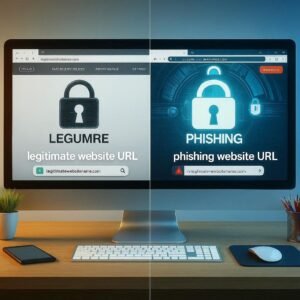
One of the most important habits you can develop is checking links before clicking them. On a computer, hover your mouse over any link without clicking. The actual URL will appear at the bottom of your browser window or in a tooltip. If the displayed link text says “www.paypal.com” but the actual URL is something completely different, don’t click it.
On mobile devices, press and hold the link to see where it leads. If you’re unsure, don’t click. Instead, go directly to the company’s website by typing the address yourself or using a trusted bookmark.
Scrutinize Attachments
Unexpected attachments are a major red flag. Legitimate companies rarely send unsolicited attachments. Malicious attachments might be labeled as invoices, receipts, legal documents, or updates, but opening them can install malware on your device. If you receive an unexpected attachment, even from someone you know, verify through another communication channel that they actually sent it.
Verify Requests for Personal Information
No legitimate organization will ask you to provide sensitive information like passwords, social security numbers, or credit card details through email or text message. Banks, government agencies, and reputable companies have secure portals for this type of information. If you receive such a request, it’s almost certainly a phishing attempt.
Check for HTTPS and Security Certificates
When you click a link that takes you to a website asking for login credentials or personal information, check the address bar. Legitimate sites use HTTPS (not just HTTP) and display a padlock icon. However, be aware that some phishing sites now also use HTTPS, so this isn’t a guarantee of legitimacy, just one factor to consider.
Real-World Phishing Examples
Understanding how phishing scams actually play out helps you recognize them in the wild. Here are some common scenarios.
The Package Delivery Scam
You receive a text message or email claiming a package couldn’t be delivered. It includes a tracking number and a link to reschedule delivery or confirm your address. The link takes you to a fake shipping company website that asks for personal information or payment for redelivery. Real shipping companies don’t ask for sensitive information through text messages.
The Netflix/Streaming Service Scam
An email arrives saying your Netflix, Spotify, or other subscription payment has failed. It urges you to update your payment information immediately or lose access to your account. The link leads to a fake login page designed to steal your credentials and credit card information.
The IRS or Tax Authority Scam
During tax season especially, scammers send emails or make calls claiming to be from the IRS or your country’s tax authority. They say you owe back taxes and threaten arrest, lawsuits, or driver’s license suspension unless you pay immediately. The IRS never initiates contact through email or threatens taxpayers over the phone without prior mailed notices.
The Tech Support Scam
You see a pop-up on your computer claiming you have a virus or that Microsoft has detected a problem. It provides a phone number to call for immediate support. When you call, scammers convince you to give them remote access to your computer, then either install actual malware or charge you for unnecessary “services.”
The Boss or CEO Fraud
An employee receives an email that appears to come from their company’s CEO or supervisor, requesting an urgent wire transfer or asking them to purchase gift cards. The email emphasizes confidentiality and urgency. This type of attack exploits workplace hierarchies and employees’ desire to please their superiors.
What to Do If You Encounter a Phishing Attempt
Knowing how to respond when you identify a phishing attempt is just as important as recognizing it.
Don’t Click Anything
If you suspect an email or message is a phishing attempt, don’t click any links or download any attachments. Even clicking a link can sometimes install malware or alert scammers that your email address is active, leading to more attacks.
Verify Through Official Channels
If a message claims to be from your bank, a company you do business with, or someone you know, verify it independently. Don’t use contact information provided in the suspicious message. Instead, call the company using a phone number from their official website, or log into your account directly by typing the web address yourself.
Report the Phishing Attempt
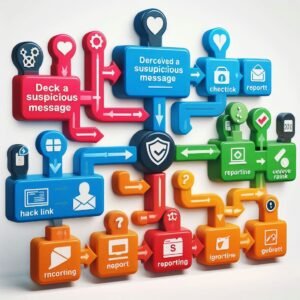
Most email providers have mechanisms for reporting phishing. In Gmail, click the three dots next to the reply button and select “Report phishing.” Outlook has a similar feature. You can also forward phishing emails to the Anti-Phishing Working Group at reportphishing@apwg.org or to the company being impersonated.
Report smishing texts to your mobile carrier by forwarding them to 7726 (SPAM). For vishing calls, report them to the Federal Trade Commission at ftc.gov/complaint or your country’s equivalent agency.
Delete the Message
After reporting, delete the phishing message from your inbox and trash folder. This removes the temptation to revisit it and ensures you won’t accidentally click on it later.
Warn Others
If you receive a convincing phishing attempt, warn friends, family, or colleagues. Scammers often launch campaigns targeting specific groups, so if you received one, others likely did too. Sharing information helps protect your community.
What to Do If You’ve Fallen for a Phishing Scam
If you realize you’ve responded to a phishing attempt, act quickly to minimize damage.
Change Your Passwords Immediately
If you entered login credentials on a phishing site, change your password for that account immediately, using a different device if possible. If you use the same password on other accounts (which you shouldn’t, but many people do), change those passwords too.
Contact Your Financial Institutions
If you provided credit card numbers, bank account information, or social security numbers, contact your bank and credit card companies immediately. They can monitor your accounts for suspicious activity, freeze your cards if necessary, and issue new ones. Consider placing a fraud alert or security freeze on your credit reports.
Run Antivirus Software
If you clicked a link or downloaded an attachment from a phishing email, run a complete antivirus scan of your device. Update your antivirus software first to ensure it can detect the latest threats. Consider having a professional examine your device if you’re concerned about malware.
Monitor Your Accounts and Credit
Keep a close eye on all your financial accounts and credit reports for several months after falling victim to phishing. Look for unauthorized transactions, new accounts opened in your name, or other signs of identity theft. You’re entitled to free annual credit reports from major credit bureaus, and you may want to check them more frequently.
Report the Incident
File a report with local law enforcement and the FBI’s Internet Crime Complaint Center (ic3.gov) if you’re in the United States, or the equivalent agency in your country. While they may not be able to recover your losses, reporting helps authorities track cybercrime patterns and potentially catch criminals.
Best Practices for Staying Safe
Prevention is always better than cure. Here are habits that will significantly reduce your risk of falling victim to phishing.
Use Strong, Unique Passwords
Create different passwords for each of your accounts, and make them strong (long, with a mix of letters, numbers, and symbols). Use a password manager to keep track of them all. This way, even if one password is compromised through phishing, your other accounts remain secure.
Enable Two-Factor Authentication
Two-factor authentication (2FA) adds an extra layer of security by requiring a second form of verification beyond your password, usually a code sent to your phone or generated by an app. Even if scammers steal your password through phishing, they can’t access your account without that second factor.
Keep Software Updated
Regularly update your operating system, web browser, antivirus software, and all applications. Updates often include security patches that protect against newly discovered vulnerabilities that phishing attacks might exploit.
Be Skeptical of Unsolicited Communications
Approach unexpected emails, texts, or calls with healthy skepticism, especially those requesting personal information or urgent action. When in doubt, verify through official channels before responding.
Educate Yourself and Others
Stay informed about current phishing techniques and scams. Cybercriminals constantly evolve their tactics, so what worked last year might look different today. Share what you learn with family, friends, and colleagues. Many successful phishing attacks could be prevented through education and awareness.
Use Security Features
Take advantage of spam filters, phishing protection features in your email client and browser, and security software. While these tools aren’t perfect, they catch many phishing attempts before they reach you.
Think Before You Share Online
Be mindful of what you post on social media. Scammers gather information from your public profiles to make spear phishing attacks more convincing. Limit who can see your posts, and think twice before sharing personal details, vacation plans, or information about your workplace.
Trust Your Instincts
If something feels off about an email, text, or call, trust that feeling. It’s better to be overly cautious and verify a legitimate message than to ignore your instincts and fall for a scam. Legitimate organizations will understand if you want to verify their communications through official channels.
Conclusion
Phishing scams represent one of the most persistent threats in our increasingly digital world, but they’re also one of the most preventable. By understanding how these scams work, learning to recognize the warning signs, and developing smart security habits, you can dramatically reduce your risk of becoming a victim.
Remember that scammers rely on human nature. They exploit our trust, create artificial urgency, and catch us when we’re busy or distracted. By staying vigilant, questioning unexpected communications, and taking a moment to think before clicking, you can protect yourself, your information, and your finances.
Don’t let fear paralyze you. The internet offers incredible opportunities for communication, commerce, and connection. With the right knowledge and habits, you can enjoy these benefits while keeping yourself safe from those who would take advantage. Share this information with others, stay informed about new tactics, and remember: when it comes to phishing scams, you’re the best defense against the bait.